
I am sure you are familiar with the fact GitHub Copilot offers you an incredible amount of models to choose from:
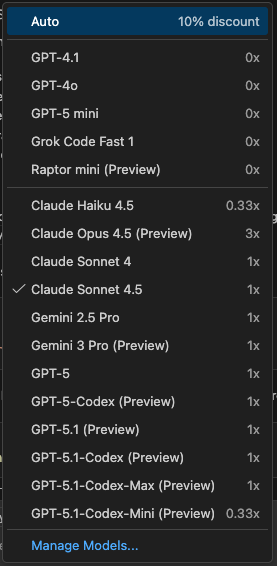
A question I often receive is “so which model should I choose for my day-to-day work?”
The answer is not as straightforward as you might think, and here is why.
There is no single model to rule them all
You should not use a model as your singular, go-to, general-purpose solution for every problem.
Every model will have pros and cons, and there is a nice documentation page showing not only what a model is very good at, but also its system card, where you can find information about the safety assessment and the validation process used during training - something we discussed in a previous post.
Take advantage of each model strengths
Knowing this, you can break down every task into smaller units, identified by complexity. You don’t have to stick to a single model, and you’ll have to determine what’s the choice based on the type of task you do.
For example, the first thing I would do with a complex task breakdown is to engage a model with deep reasoning capabilities like Claude Opus 4.5 or Gemini 3 Pro in Plan Mode, in order to define a list of simpler activities to do. This is where your really need reasoning capabilities, and it should be the first activity to do regardless if you want to be efficient about your Premium Requests quota as well.
Following that, if something is a pure coding problem, I would go with something lighter and quicker however. still very much code-focused like Claude Sonnet 4.5, unless it’s a really deterministic and defined problem where a lightweight model the kind of Claude Haiku 4.5 or the new GitHub Raptor Mini will do.
If instead we are looking at a verbose documentation task, the best balance comes from the OpenAI models are the ones with the best articulation, however Claude Sonnet will do well in that because of the code-heavy context.
You should not switch all the time, find what works for you
That said, I would not recommend to choose a specific model for each and every task. Over time you will develop a higher level of maturity in prompt and context engineering, and coupled with multi-tiered coding instructions you will get to a point where your model choice will be one-per-type of task.
It will be important to keep up with the continuous development we see in the field, so whenever something new comes out swapping out models for test runs on well-known type of activities will be the benchmarking exercise you need to find the most suitable model for your workflow. It will become very personal after a while.
Remember your custom models
This is not for everyone, I get it, however don’t forget the models offered by the service are only an ‘as a service’ offering. You can plug your own models, either local or hosted, so to use something that has been tailored on your own needs or codebase.
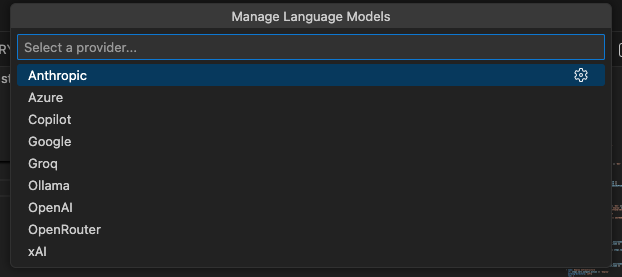
Ollama in particular is the one to look at if you want to run a local model, something we are and we will be doing more frequently than ever.