I talked about it last month, and since then GitHub Copilot also went in the same direction, significantly shrinking an era of AI adoption subsidies.
How can I control costs then?
You need to start building a clear view of what your token-based AI usage will be for your team, today.
With the era of subsidies being over you absolutely need to get a view of what your teams are consuming today. This is just to establish a baseline and an understanding of what value is delivered today compared with the dollar value of the monthly bill.
You can analyse your current GitHub expenditure and get an equivalence via the Copilot Billing Preview website, which gives you a lot of insights in the new billing model by analysing the Premium Request Usage Report and provides some forecasting and analysis.
GitHub Next is already looking at giving you an indication of token cost as part of your Pull Request workflows for example, and there are many more local tools like CodexBar for account-level consumption.
These are all tools that allow you to correlate your DORA metrics to your opex costs. However keep in mind that, in the short term at least, costs will tend to go upwards. If teams don’t understand and normalise their current ways of working costs will spiral out of control and won’t necessarily correlate with actual value delivered.
The reality is that now you need to think about what your teams are using, and we are going to feel a huge sense of deja vu from the early days of the public cloud journey here, only lacking the ability of running stuff locally for almost nothing. Or do we?
Local models are already a thing
GitHub Copilot suddenly becomes more expensive than you are used to. Anthropic and OpenAI keep moving the bar in terms of included quota in their own subscriptions. Running a hosted LLM costs a good chunk of money and fine-tuning it is an order of magnitude worse.
Nothing new on the horizon.
The actual reality is that we are generally spoiled and like things as a Service. That is why every model provider is running to give you access to every model as quickly as possible. Lazyness leads to stickiness in the market, especially when you cannot run the exact same thing locally.
I believe the turning point will be when we are going to have a Claude Sonnet-like model running on an average developer setup, so roughly by 2028 at most, given the current pace of change and development plus hardware continuing to push the boundaries. That event will have a knock-on effect on the whole industry.
Until then though, we can run smaller models locally for deterministic tasks. You know, the ones suitable for our friendly engineers! Some of them are seriously good, and hardware is getting better and better providing an alternative to some hosted models as of today.
How?
My base MacBook Air M3 runs a 9 billion parameters model with relative ease and decent all-round performance, leaving room for other applications. A beefed-up MacBook Pro can run OpenAI GPT-OSS with the same ease. A maxed-out Mac Studio… you can guess!
The keyword here is ease. You need to consume the model and use the tools you need every day, so the goal is not to grind everything to a halt just to run larger models.
To give you an idea, once you have a model up and running (Ollama, LM Studio, you name it), you need to supply the API endpoint to your local environment. Using GitHub Copilot CLI, you need these variables:
export COPILOT_PROVIDER_BASE_URL="http://localhost:1234/v1"
export COPILOT_MODEL="your model"
export COPILOT_OFFLINE="true"
The last one prevents your CLI from exfiltrating calls, so allowing a completely isolated setup. You can now run the CLI and see that your model was loaded and it is actually being consumed by the tool:
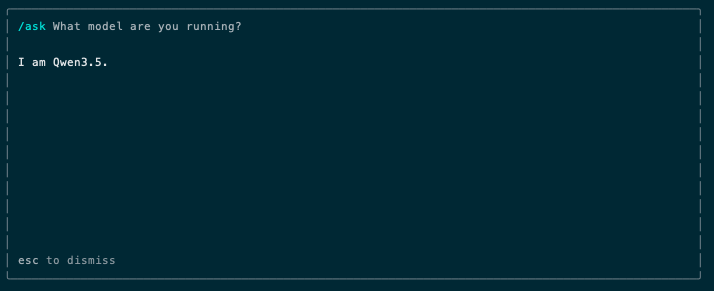
This actually works in terms of harness, however there are issues. For example…
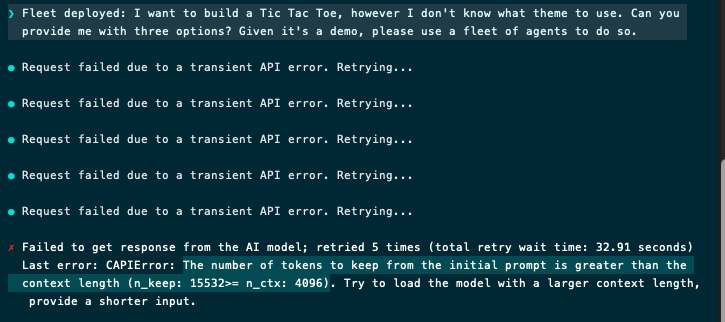
Running a local agent fleet with the out of the box configuration is not really feasible, as the context window is too small.
No problem then, I will bump-up the context window (I use LM Studio):
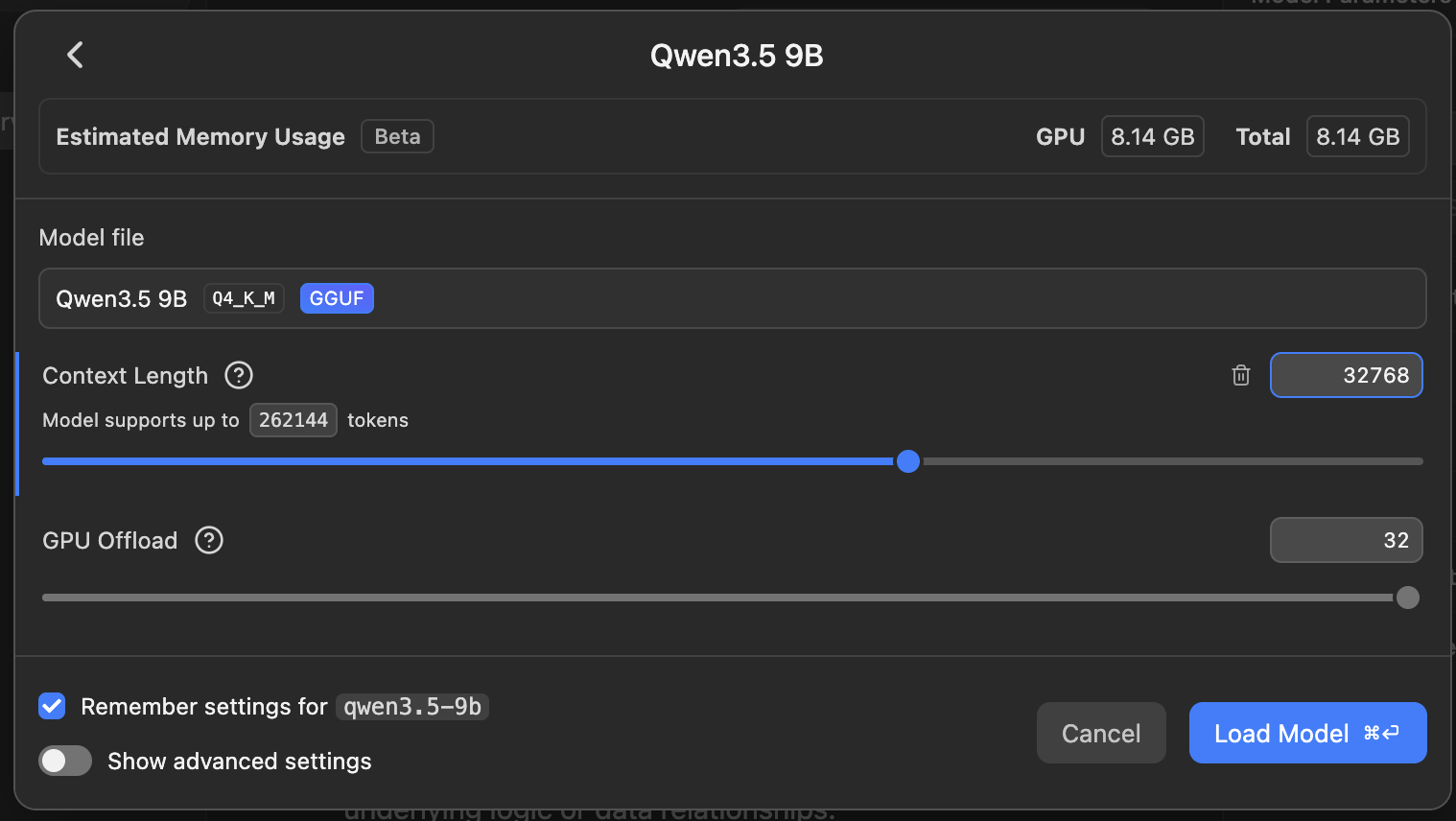
And I will explicitly set variables to ensure the Copilot CLI is aware:
export COPILOT_PROVIDER_MAX_PROMPT_TOKENS="32768"
export COPILOT_PROVIDER_MAX_OUTPUT_TOKENS="8192"
Let’s try again. Less than two minutes later, I got this question:
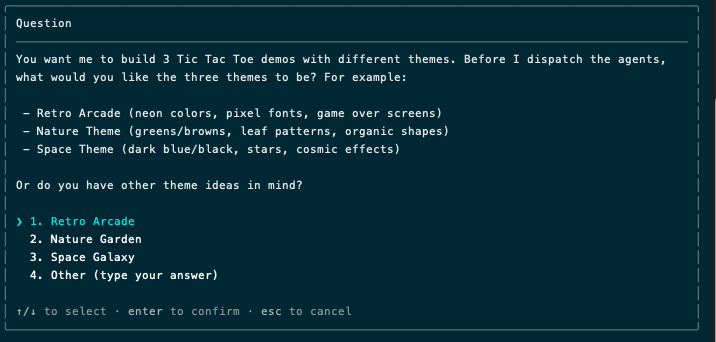
It was a reasoning task, hence the wait. Other interactions were acceptable:
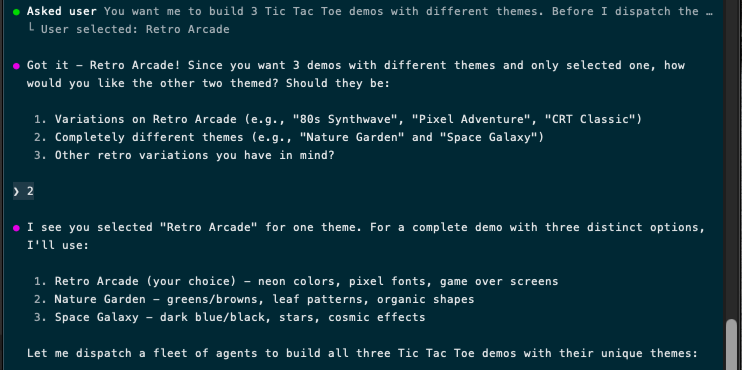
Reasoning is where things are really slow, however you can keep an eye on the server and assess whether performance is good enough.

The key issue is that we aren’t ready for general purpose, all-day local AI usage on commodity hardware. Not everyone has access to a maxed-out Mac Studio, and we are not using Copilot just for one-shot code generation, but rather as the control plane for agents, parallelisation, reasoning, etc. Performance is not there yet.
It’s worth knowing there are so many optimised builds for every model, so you need to find the most performant one for your use cases, and developers are catching-up continuously, however this is not (yet) a sensible, enterprise-wide setup anyone can get.